



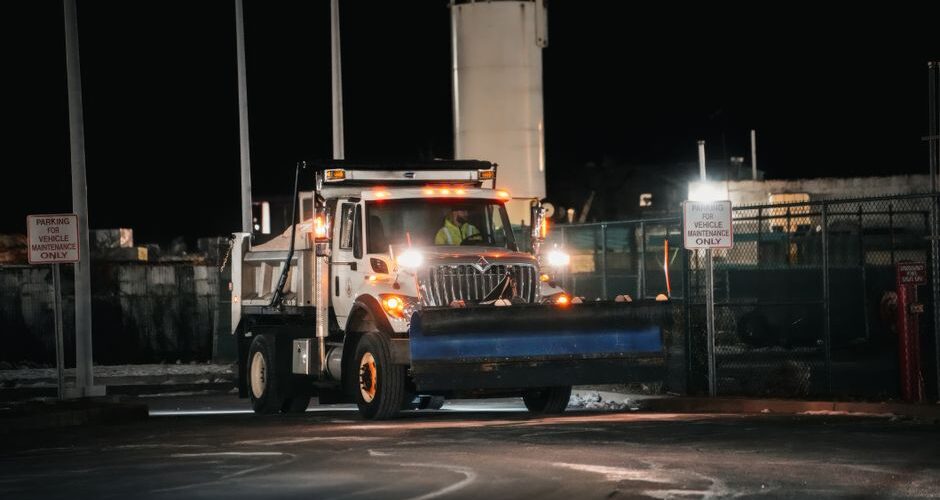

How snow removal reports are generated, step by step
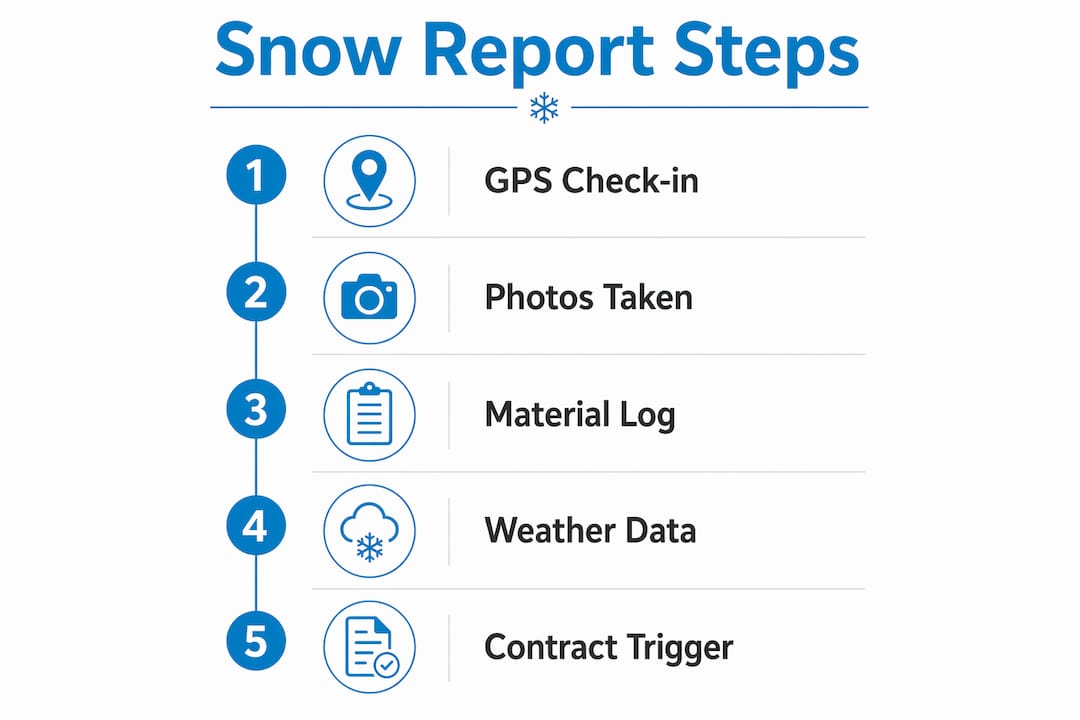
Snow removal reports are official records built from field data captured during each snow event, covering GPS check-ins, timestamps, photos, material logs, weather conditions, and the contract trigger that started the job. Modern field apps combine these elements efficiently, eliminating paper forms and desk work entirely.
Every complete report includes these core elements:
- GPS-stamped check-in: Proves the crew was physically on site at a specific time and location
- Arrival and departure timestamps: Documents service duration to the minute
- Photos of cleared areas: Wide shots of the full lot plus close-ups of problem zones like curb cuts and building entrances
- De-icing material log: Type, quantity, and exact location of every application
- Weather conditions at service time: Temperature, active precipitation, wind, and pavement conditions
- Contract trigger: The snowfall depth threshold, customer request, or scheduled treatment that initiated the visit
- Crew notes: Any anomalies, obstructions, or conditions worth flagging for the record
The process balances three things at once: operational documentation, compliance with government and contract requirements, and billing transparency. Get any one of those wrong, and the report fails its purpose.
What each data point in a snow removal report actually documents
GPS check-ins are the single most defensible piece of evidence in a snow removal record. A timestamped GPS entry showing a crew on site from 3:15 AM to 4:02 AM is nearly impossible to dispute in court or with an insurer. It removes the “were you even there?” question before it gets asked.
Photos serve a different function. They document the condition of the property at the moment the crew left, not hours later when additional snowfall or a temperature drop may have changed conditions. Wide shots establish the full scope of clearing; close-ups of high-risk areas like loading docks and building entrances show the detail of the work.
Material logs need to be specific. “Applied 50 lbs of rock salt to the main lot and 10 lbs to the front walkway” is a usable record. “Applied salt” is not. The Snow & Ice Management Association (SIMA) is direct on this point: courts and insurance adjusters prefer timestamped, granular logs over general narratives, and blank or incomplete entries create liability rather than reduce it.
Weather data contextualizes every decision the crew made. If a lot looks snowy in photos taken at 7 AM, but the log shows the crew cleared it at 4 AM during an active storm, that context explains the condition. Without it, the record looks like a missed service.
Pro Tip: Log the contract trigger on every single visit, not just the first one of the season. Per-push contracts require it for billing accuracy; seasonal contracts need it for liability defense. A clear link between the contract terms and the action taken is what turns a service record into a legal asset.
Which technologies and systems are used to generate and submit reports
Field service apps have replaced paper forms as the standard tool for generating snow removal data at the crew level. The workflow is straightforward: arrive, tap “check in” (GPS and timestamp captured automatically), clear the site, apply materials, take two photos, log what was applied, tap “complete.” The report builds itself from that data. No desk work, no catching up from memory two days later.

At the fleet level, large operations use telematics integrated with GIS platforms like ArcGIS to automatically generate service history layers that summarize routes, passes, and material usage across an entire season. These layers serve both operational review and long-term liability verification.
Structured data from field apps feeds into Storm Log records, which are the per-event service documents that tie each visit to a specific site and contract. A Storm Log holds snow depth, conditions, arrival and departure times, services performed, materials applied, photos, and crew notes, all linked back to the visit that produced it.
Government agencies operate their own submission systems. The Wisconsin Department of Transportation requires service providers to submit Winter Storm Reports electronically through WisTransPortal by Wednesday of the week following each event, covering the mandatory reporting period of November 1 through April 30. No email or fax submissions are accepted.
| Reporting level | Primary tool | Output |
|---|---|---|
| Field crew | Mobile field service app | GPS check-in, photos, material log, Storm Log |
| Fleet operations | Telematics + ArcGIS | Route summaries, service history layers |
| Government compliance | WisTransPortal (Wisconsin DOT) | Electronic Winter Storm Reports |
| Municipal oversight | Power BI dashboards | Real-time clearing status, audit exports |
Boston’s Analytics Team replaced phone calls, texts, and spreadsheets with a digital dashboard and Google Form field submissions, cutting duplicate work and inconsistencies across more than 230 parks. That shift directly reduced oversight costs and compliance violations.
Why accurate reports protect you legally and operationally
SIMA frames snow removal documentation not as administrative overhead but as a primary legal defense asset. Every service record should be treated as if it will be examined in slip-and-fall litigation years after the event. Memory fades; a timestamped GPS log does not.
Courts and insurance adjusters work from facts, not narratives. A well-organized archive of digital records, searchable by date, site, and event, lets you respond to a liability claim or audit request in hours rather than days. Paper records introduce delays and gaps that digital systems eliminate. SIMA recommends retaining records for at least three to eight years, depending on local laws and insurance requirements.
Detailed reporting also demonstrates contractual compliance. Rounds-based documentation, showing the frequency of service and responsiveness to changing conditions, proves you met the contract terms during every phase of a storm. Without it, even completed work can appear undone.
Pro Tip: Treat every micro-event as its own record. A quick note about a parked car blocking a section, or an icy patch that required a second pass, creates context that protects you if that exact spot becomes the subject of a claim.
How contract terms and billing models shape what reports must include
The billing model in a service agreement directly determines what the report must document. Three models are common, and each demands different data.
- Seasonal flat fee: Billing runs on a calendar regardless of snow events, but reports still document every visit for liability defense and contract compliance verification
- Per-push or per-event: Every qualifying service event needs a record showing the trigger depth was reached, the time of arrival, services performed, and materials applied. This is the billing evidence.
- Time-and-materials: Labor hours and material quantities logged on the Storm Log feed directly into invoice line items. Inaccurate logs mean inaccurate invoices.
The snow removal report forms the basis for billing under all three models, linking documented labor and material records to generated invoices. Material usage logged per site also feeds inventory management, so a season’s salt consumption is tracked both per property and in total. For property managers overseeing multiple sites, a cleaning service contract checklist can help align reporting requirements with contract terms before the season starts.
How quality assurance works in snow removal reporting
Quality assurance in snow removal reporting starts with the submission workflow, not after the fact. Digital systems let supervisors review field entries in near real-time, catching omissions before they become gaps in the record. A missing departure time or an unsigned material log is easy to fix at 5 AM; it is much harder to reconstruct three weeks later when a claim arrives.
Consistency matters as much as completeness. Reports should follow a standard template across every crew member and every site. When logs look different from one technician to the next, the inconsistency itself raises questions during audits. Electronic logs improve searchability and audit trails in ways paper records cannot match, making it faster to pull a complete seasonal history for any property.
Wisconsin DOT’s WisTransPortal system builds a quality check into the submission process itself. Missing reports for any county in a given week are flagged automatically, and No Activity reports are required even when no snow falls, so the absence of a submission is never ambiguous.
Who is responsible for generating snow removal reports
Report generation is a shared responsibility across three roles. Field crews are the frontline recordkeepers. They capture the GPS check-in, take photos, log materials, and note any on-site conditions that raw data cannot explain, like a parked car blocking a section or an icy patch that required extra attention. Even with advanced telematics data, the human element remains essential for contextualizing what the GPS track alone cannot show.
Supervisors review field submissions, verify completeness, and approve records before they enter the archive. They also handle escalations when conditions change mid-storm and a crew needs to document a second pass or an unscheduled return visit.
Office administrators or operations managers handle formal submissions to government portals, maintain the structured archive, and respond to audit or legal requests. For residential and commercial contracts, understanding the scope of work agreed upon upfront helps every role know exactly what needs to be documented on each visit.
Common errors in snow removal reports and how to fix them
The most frequent mistake is delayed documentation. When crews log service from memory hours or days after the event, timestamps become estimates and material quantities become guesses. The fix is a check-in workflow that captures data automatically at the moment of service, so nothing depends on recall.
Incomplete material logs are the second most common problem. A log that records salt was applied but omits the quantity and location is nearly useless for billing and provides weak legal defense. Structured digital forms with required fields prevent this by making it impossible to submit a record without completing every entry.
Gaps in no-activity reporting catch many providers off guard. Failing to submit a No Activity report during a quiet week can trigger audit flags as quickly as missing a service report. Municipalities require these submissions to maintain accurate seasonal accountability, and the absence of a weekly entry looks the same as a missed service in the system. Setting a weekly calendar reminder for the submission deadline, Wednesday for Wisconsin DOT’s WisTransPortal cycle, removes this risk entirely.
If you want professional snow removal backed by thorough documentation and 44 years of Denver experience, Denversnowremovals provides residential and commercial service 24/7 across the Denver Metro area. Every visit is logged, every site is covered, and your property stays clear all season.
Key Takeaways
Accurate snow removal reports require GPS check-ins, timestamped photos, material logs, weather data, and contract triggers captured at the time of service, not reconstructed from memory afterward.
| Point | Details |
|---|---|
| Five required data points | Every report needs a GPS check-in, photos, material log, weather conditions, and the contract trigger that initiated service. |
| Under-two-minute capture | Modern field apps capture the full data set in under two minutes, eliminating paper forms and desk work. |
| Government submission deadlines | Wisconsin DOT requires electronic submission via WisTransPortal by Wednesday of the following week, with No Activity reports required weekly. |
| Billing model drives content | Seasonal, per-push, and time-and-materials contracts each require different levels of detail in the report to support accurate invoicing. |
| Digital records outperform paper | Electronic logs improve searchability, audit trails, and retention, making liability responses faster and more defensible. |
FAQ
What data is in a snow removal report?
A complete snow removal report includes GPS-stamped check-ins, arrival and departure timestamps, photos of cleared areas, de-icing material logs with type and quantity, weather conditions at service time, and the contract trigger that initiated the visit.
What is the formula for snow removal?
There is no single universal formula. Service is triggered when a measured snowfall depth reaches the threshold specified in the contract, at which point crews are dispatched, service is performed, and a Storm Log is created documenting all activities and materials used.
What is the average hourly rate for snow removal?
Hourly rates for snow removal vary by region, property size, and service type. Billing models include seasonal flat fees, per-push event charges, and time-and-materials rates; the specific rate is not publicly standardized and depends on the service agreement.
Is it illegal to shovel snow onto a neighbor’s property?
Yes, in most U.S. jurisdictions pushing or blowing snow onto a neighbor’s property is prohibited and can create liability if it causes injury or property damage. Local ordinances vary, so checking your city or county code is the most reliable way to confirm the specific rule in your area.
What is snow removal reporting?
Snow removal reporting is the process of creating official records that document when, where, and how snow clearing and de-icing services were performed, used for compliance verification, billing, and legal defense.
Recommended
- Document Snow Removal for Liability Protection – Snow Removal Denver 303-591-2089
- How to Set Snow Clearing Expectations for Residents – Snow Removal Denver 303-591-2089
- Why Hire a Snow Removal Service: 2026 Guide – Snow Removal Denver 303-591-2089
- Snow Removal Scope of Work: A Denver Property Guide – Snow Removal Denver 303-591-2089